
Silent Hill: Townfall Steam Deck: Performance and Settings
See September 21 Steam Deck test results for Townfall, a reported low-settings starting point, and the stuttering limits to consider before buying.
Quick answer
Townfall runs on Steam Deck in Steam Deck HQ’s September 21 review, but its test found substantial stutter when running through the town. Treat it as a compromised handheld option, not a reliable locked-30-fps purchase. We have not benchmarked it ourselves, and the reported results are not a Valve Verified rating.
On this page
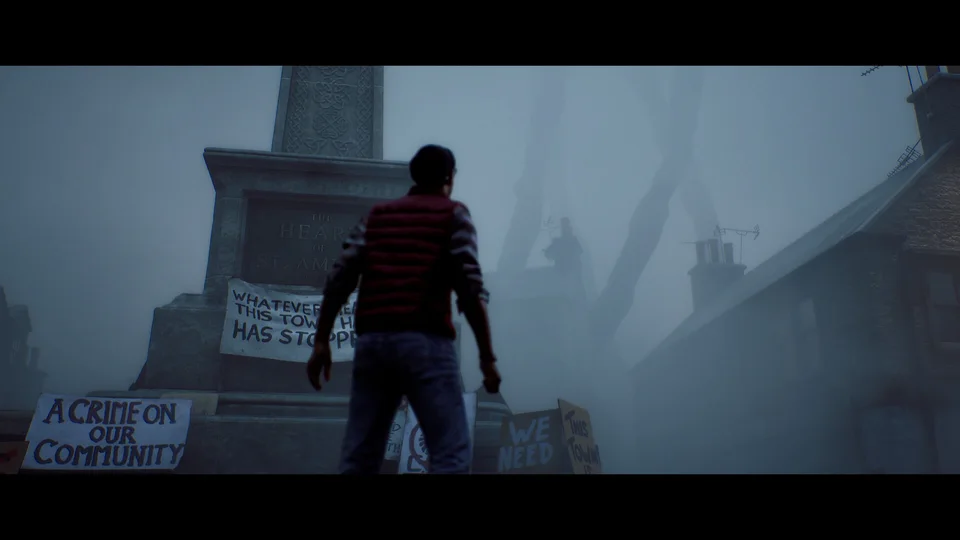
What the published test found
Steam Deck HQ reported roughly 30 fps during slower exploration, with drops into the 10-fps range during running or more demanding scenes. Its recommended setup uses the lowest settings, TSR Ultra Performance, a 30-fps cap and no forced Proton compatibility. The reviewer preferred TSR’s appearance to FSR and found frame-generation experiments did not resolve erratic base performance. Read the original test for its screenshots and full conditions.
Use the reported settings as a starting point
This is a suggested way to evaluate your own installation, not a promise that a later build will behave identically.
- Start with the published setup above and record your game version and SteamOS version.
- Test a route that includes running and turning, not only an empty indoor room.
- Watch frame pacing as well as the frame-rate number. A target cap does not guarantee every frame arrives on time.
- Change one option at a time and replay the same route before calling it an improvement.
- If fast camera movement or chase stutter makes play uncomfortable, stop treating a quieter scene as proof the whole campaign will be satisfactory.
Should you buy it specifically for Steam Deck?
Our recommendation is to wait for stronger evidence if smooth handheld performance is essential to you. The existing test is useful evidence of a limitation, not proof that all copies will fail or that a future patch will fix it. A desktop requirements table cannot fill that gap. If you already own the game, compare your actual experience against the same kinds of movement described above before investing time in speculative tweaks.
What remains unverified
This page does not establish Valve certification, an exact patch remedy, or equivalent results on every handheld. We also do not treat shader-cache or CPU explanations as a diagnosed cause. A compatibility badge, if present on the current store page, answers a different question from consistent performance in a demanding scene.
Common questions
Are these settings tested by Townfall Guide?
No. The settings and measured behavior are attributed to Steam Deck HQ’s September 21 review. Our checklist explains how to assess your own installation.
Can I expect a stable 30 fps throughout the game?
The cited review does not support that expectation. Its reported drops during movement are the main reason for caution.
REFERENCE RECORD
Sources used for this page
Related guides
PC system requirements
Compare Townfall’s official minimum and recommended PC specs, including RAM, GPU, Windows 11, storage, and the conditions behind its 30 fps targets.
Read guide
Platforms
Townfall is announced for PS5 and Windows PC through Steam and Epic. Check what is confirmed for Xbox, PS4, Switch and physical editions.
Read guide
Black bars and aspect ratio
Why Townfall’s 2.35:1 presentation can show black bars on a 16:9 screen, how that differs from resolution, and what removal options remain unverified.
Read guide