
Silent Hill: Townfall PC Keybinds and Mouse Button Limits
Find Townfall keyboard bindings under Controller Mapping, understand greyed-out mouse buttons, and compare CRTV Hold versus Toggle using launch-player reports.
Quick answer
On PC, look in Control Options → Controller Mapping to change keyboard bindings, despite the menu name. Independent Steam and Reddit players identify that location. Some launch-build actions cannot be assigned directly to mouse side buttons: reports include CRTV, peek and sprint. Use an accepted keyboard key and consider CRTV Toggle if holding the key is awkward.
On this page
- Scope
- PC launch controls
- Keyboard menu
- Controller Mapping
- Evidence
- Independent player reports
Where keyboard remapping is hidden
Open Control Options and find Controller Mapping in its general settings. The name can make it look like a gamepad-only screen, but both a September 26 Steam reply and a September 24 Reddit reply identify it as the keyboard-binding menu.
- Record the current key for the action you want to change.
- Choose an editable keyboard binding and assign an unused key that the menu accepts.
- Return to a safe place in the game and test one press, then movement while using the action.
- If the change creates a conflict, restore that action’s original key before changing another.
Why Mouse 4 or Mouse 5 may be greyed out
The restriction appears to depend on the action. In the Steam discussion, a player could assign the flashlight to Mouse 4/5 but not sprint. Separately, Reddit players report that CRTV and peek only accept keyboard keys in the affected fields. ResetEra players describe the same CRTV side-button limitation.
These observations do not establish that every action is locked or that the mouse is defective. Try an allowed keyboard key for the same action and compare a different editable mouse binding. That separates an action-specific restriction from a side button that is not registering anywhere.
CRTV Hold versus Toggle
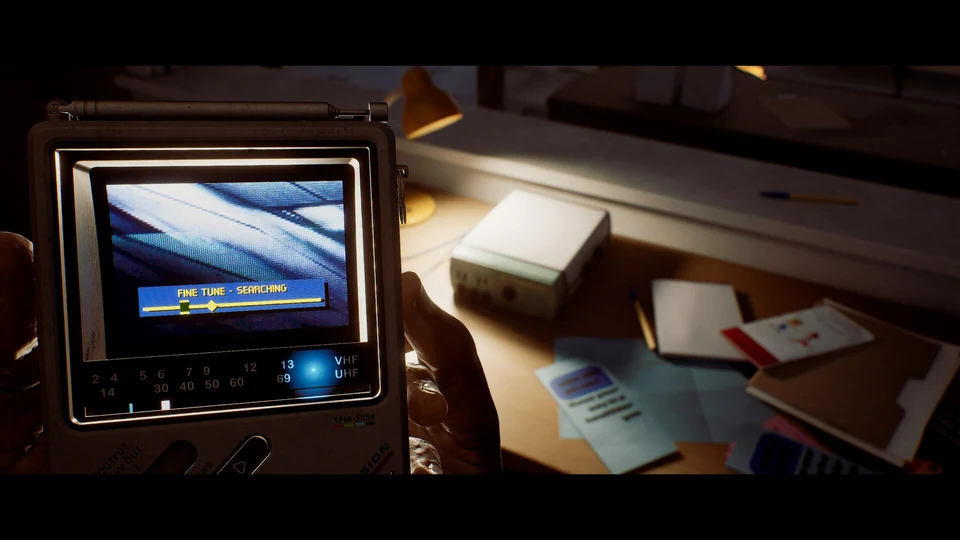
If keeping a key held while moving is the problem, look for the CRTV hold/toggle choice in Control Options. Reddit and ResetEra players independently describe using Toggle with an easier keyboard binding. With Toggle, test raising and putting away the CRTV with separate presses instead of holding the key throughout.
Q and Spacebar are player examples, not a recommended universal layout. Check whether your chosen key already serves another action. This changes how you raise the device, not the broadcast-tuning or RGB-alignment solution.
What about remapping through mouse software?
Some players use their mouse maker’s software to make a side button send an accepted keyboard key. That is a community workaround outside Townfall’s own binding menu; we have not tested a device-by-device procedure. If you already use such software, keep the change in a Townfall-specific profile and retain the original assignment so you can undo it.
You do not need to install a mod simply to find the keyboard-binding menu. A key that the game already accepts, combined with CRTV Toggle where useful, is the simpler comparison to make first.
A button firing twice is a different issue
If one press moves two menu entries, repeats a phone digit, or crouches and immediately stands, use the dedicated Steam Input guide. Remapping the same repeated action to another key is not the official duplicate-input workaround. Likewise, camera sensitivity or motion discomfort needs the camera settings rather than a new action binding.
If your current build behaves differently
The menu route and limitations above come from launch-week reports checked September 26, not our own hardware test. Note the game version, keyboard layout, mouse model, action name and whether its field is greyed out or rejects a press. Include those details when asking support about a particular binding. We found no verified patch promise that every mouse-button restriction will be removed.
Common questions
Is Controller Mapping only for a gamepad?
No. Independent Steam and Reddit players locate PC keyboard bindings in that menu under Control Options.
Can I bind every action to the mouse side buttons?
The checked launch reports say no: some fields reject mouse buttons even when another action accepts them. There is no verified complete action-by-action compatibility list here.
Does CRTV Toggle fix signal alignment?
It changes how you raise or lower the device. Tuning a broadcast and aligning its signal still require their own inputs.
REFERENCE RECORD
Sources used for this page
Related guides
CRTV: signals and threats
Raise the CRTV, lock onto broadcasts and align RGB signals. Learn the PS5 tuning sequence, motion-control option and precautions around nearby enemies.
Read guideController double input
Fix Townfall controller double inputs with Annapurna’s official per-game Steam Input advice. Check skipped menu items, repeated phone digits and crouch toggles.
Read guideFOV and camera settings
Find Override Field of View, Head Bob, Motion Blur and Aim Dot in Townfall’s launch menus, with verified PS5 and PC FOV ranges and clear limits.
Read guide