
Silent Hill: Townfall DLC Not Unlocking on Steam
Missing Townfall preorder or Deluxe DLC on Steam? Follow the September 24 official restart instructions and check which extras your purchase includes.
Quick answer
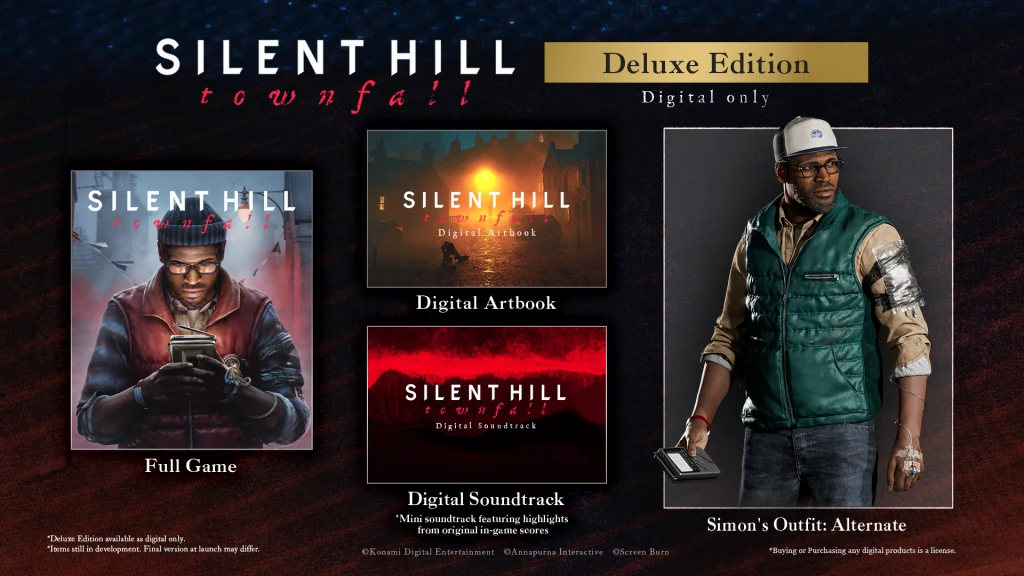
The September 24 Steam announcement says the issue blocking some Townfall DLC has been resolved. If you have already been playing, close the game, connect to the internet and restart Steam. The notice identifies the Pre-purchase and Deluxe Edition products.
On this page
1. Follow the official restart instructions
Exit Townfall completely. Check that your PC is online, then restart the Steam application before returning to the game. The publisher asks players who have already started playing to do this after the resolution.
2. Match the missing extra to your purchase
Compare the named item with your receipt and storefront content list. Deluxe includes the digital artbook, soundtrack and alternate outfit; preorder CRTV cosmetics have separate conditions. Beach Edition is a PS5-only CRTV style, so its absence on Steam is not a missing PC entitlement.
3. If your eligible content is still missing
Record the item, edition and storefront, and state that you restarted Steam while online when contacting support. This is a practical way to describe a remaining problem, not an additional publisher-prescribed fix. The notice does not list every affected item or provide a reinstall procedure.
Check that this matches your symptom
Use this page when an extra included with your purchase is unavailable. If the application closes before the menu, follow the startup-crash guide instead. A game that runs but hitches during movement belongs with the performance checks. These distinctions help you give support an accurate report rather than applying the same restart instruction to every launch-day problem.
Common questions
Does this also fix the performance stutter?
The DLC resolution is a separate announcement. The performance update remains in development in the latest checked notice; a Steam restart is not a confirmed frame-pacing fix.
Are these instructions for PS5 or Epic too?
These restart instructions explicitly name Steam. They do not establish a matching resolution or procedure for other storefronts.
Should I buy the missing extra again?
First check the original order and the platform-specific included-content list. Our recommendation is to resolve an existing entitlement with the seller or platform support before making another purchase; an extra payment is not part of the official recovery instructions.
REFERENCE RECORD
Sources used for this page
Related guides
Standard vs Deluxe
Compare Townfall Standard and Deluxe: base game, artbook, soundtrack, Simon’s alternate outfit, preorder cosmetics and early access.
Read guide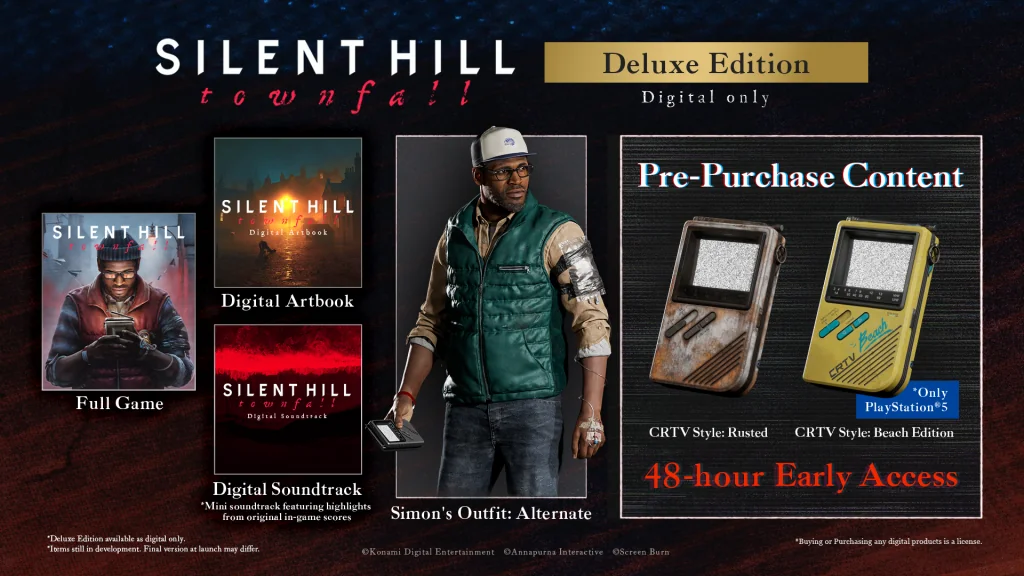
Preorder bonuses
Check Townfall’s Rusted and Beach Edition CRTV styles, the PS5 restriction, and how preorder rewards differ from Deluxe edition extras.
Read guidePC startup crashes
Townfall crashes before the menu or opens to a black screen? Check the reported display-scaling workaround, a limited 60 Hz test and Steam file verification.
Read guide