Silent Hill: Townfall Early Access and Steam Unlock Checks
Townfall Deluxe not unlocking? Check Steam’s standard-date display, preloaded files, retailer-key Advance Access eligibility and the right support route.
Quick answer
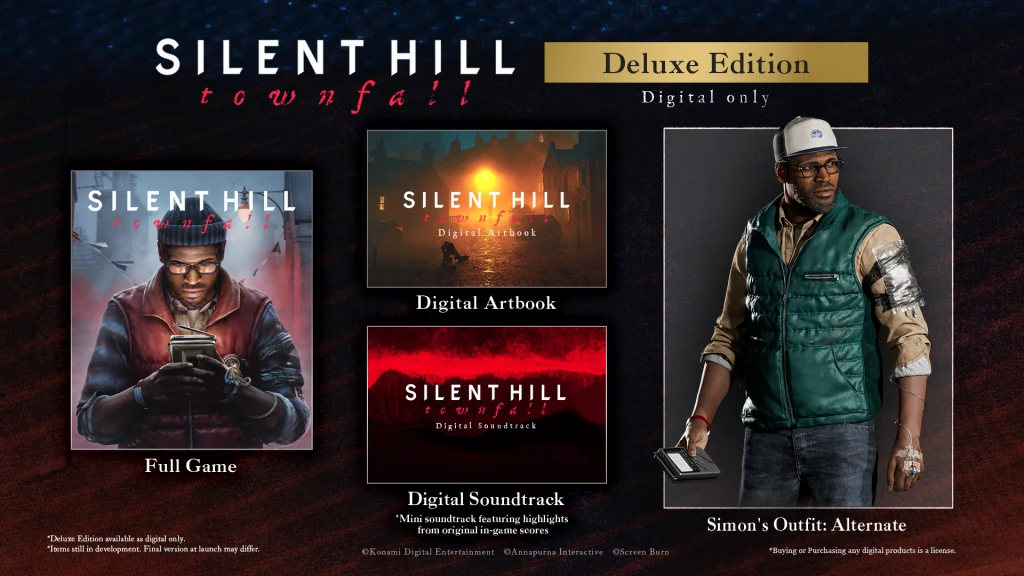
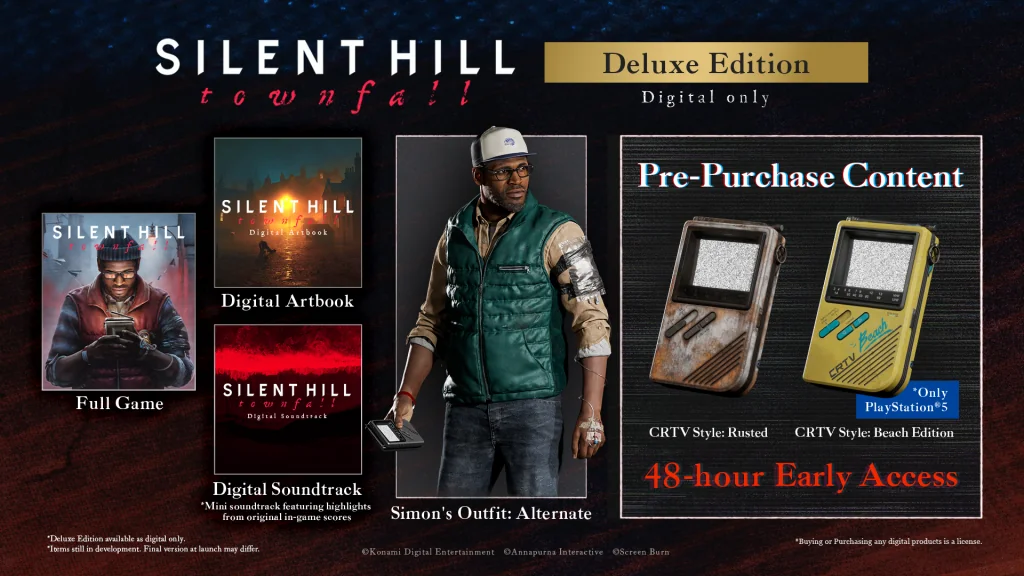
Silent Hill: Townfall offers 48-hour early play with a qualifying digital Deluxe preorder. A September 23 or 24 library date, or finished preload, cannot confirm whether your copy has unlocked. Check the edition, its scheduled window and the redeemed package. Valve says retail-key packages must also be enabled for Advance Access; that is a support check, not a confirmed explanation for every locked Townfall copy.
On this page
- Advertised advance window
- 48 hours
- Qualifying edition
- Digital Deluxe
- Purchase condition
- Preorder
Bought Deluxe but Steam still shows the standard date?
Townfall buyers raised this exact question on September 21. Green Man Gaming’s support FAQ explains that an activated preorder can continue to display the official release date before its early-access window. Valve separately documents that eligible packages receive access at the scheduled Advance Access time. This explains why the date alone cannot diagnose a failed purchase; it does not prove that a particular account owns the right package.
- Check the receipt or redeemed product for the digital Deluxe edition and its advance-play offer. A base-game library title is not a complete receipt.
- Read the Deluxe purchase block on the current store page. Do not use only the general release heading or another region’s screenshot.
- If you bought a retailer key, separate “awaiting delivery” from “redeemed successfully.” An undelivered key is a seller issue, not a Steam preload setting.
- If the confirmed window has begun and your qualifying copy is still unavailable, contact the seller for key/package problems or Steam Support for a Steam purchase. Include the edition, purchase time, store region and error message.
Preloaded Deluxe from Fanatical but cannot play?
September 22 update: the moderator-distinguished WeAreFanatical account says it is working with the publisher on missing Advance Access, apparently concentrated among Australia/New Zealand keys. It asks buyers from other regions to identify themselves. This is a retailer acknowledgement; it does not establish that every AU/NZ order is affected or that the issue is resolved.
The retailer suggests restarting Steam as a possible remedy. Later replies still report no access after trying it, so restart is a limited check, not a promised fix. If your qualifying window has begun and your redeemed Deluxe copy stays locked, contact the seller with your region and activation description.
Valve separately documents manual enablement of retail-key Advance Access packages. The retailer’s response does not confirm package enablement as this incident’s cause.
- Match the order’s edition and region to the activated product. Keep the order reference, activation description and current library message together.
- Tell support whether the key is missing, redeemed but locked, or the game actually launches and then crashes. These require different investigations.
- Use the retailer for a retail-key order and Steam Support for a direct Steam purchase. Do not post your full key publicly or buy a duplicate copy as a diagnostic step.
Looking for the preload button?
Download availability is separate from the early-play entitlement. The preload guide covers current community reports, PS5 auto-download checks and what to inspect when Steam still offers no download.
Check all three parts of the offer
The useful words are digital, Deluxe and preorder. A Standard order does not become eligible simply because it was placed early. A physical preorder is also not the digital Deluxe product named in the announcement. Start with the edition shown on your receipt, then find the early-play entitlement in its description.
If you bought through a seller rather than directly from the platform storefront, check the exact package that seller supplies. A general banner about launch bonuses should not replace the included-content list for your order.
- Use the receipt to identify the product you bought.
- Confirm that it is the digital Deluxe edition.
- Check that the qualifying preorder offer applies to that purchase.
- Use the store’s regional countdown for timing rather than an assumed universal midnight.
Compare early play with the confirmed standard schedule
KONAMI’s standard-release graphic puts Steam and Epic at September 24, 04:00 UTC. Subtracting the advertised 48 hours gives September 22, 04:00 UTC: September 21 at 9 pm PDT, September 22 at midnight EDT, 5 am BST or noon HKT. These early-play times are a calculation from the official standard schedule and Deluxe offer, not a separately published Deluxe graphic.
For PS5, the same calculation uses the PS5 column, not the PC column. For example, London’s midnight September 24 standard time points to midnight September 22. A calculated window still does not prove that your particular order or retail-key package has the required entitlement; check its offer and contact support if access remains missing.
Downloading and playing are separate questions
A preload means files can be downloaded before you can start the game. Early play means the product grants permission to start before its standard release. One does not prove the other. This page has no verified platform-wide preload timetable, and the PC storage requirement is not a confirmed download size.
If your library allows an installation, follow that platform’s prompts. If it still shows a release countdown, do not assume the installation has failed just because the files are already on the device. Check the product entitlement and the displayed time before looking for an unrelated technical fix.
Common questions
Should I reinstall Steam or buy the game again to unlock Deluxe?
A displayed release date alone does not justify either action. First check the purchase edition, key status and scheduled window. Valve says eligible clients should gain access without a restart; reinstalling does not add a missing purchase entitlement.
Is this Steam’s Early Access development programme?
The offer described by Konami is a short advance-play window attached to a preorder. It does not describe an ongoing paid development programme or promise future content in place of a finished launch.
Should I buy Deluxe only to start early?
That depends on whether you can use the window. Compare your free time with the store’s actual unlock display and consider the other Deluxe extras before treating 48 hours as an automatic benefit.
REFERENCE RECORD
Sources used for this page
Decide whether the complete Deluxe package is worth choosing for your schedule.