
Silent Hill: Townfall Preload: PS5 and Steam Download Checks
Check Townfall preload availability on PS5 and Steam, what to do when the download button is missing, and why 75 GB is not a confirmed download size.
Quick answer
Steam players reported Townfall preloading on September 22, after earlier September 19–21 reports of missing PC downloads and available PS5 predownloads. Availability has changed for some players; these community reports do not establish a universal schedule. Check your own library’s download button and estimate. Finished files do not by themselves grant the Deluxe 48-hour early-play entitlement.
On this page
Retailer order says awaiting key
A paid order, a delivered key and an activated Steam copy are three different stages. Townfall buyers asked about missing Green Man Gaming keys on September 21–22. Those posts do not establish that all orders are delayed. GMG’s general early-access FAQ says keys are delivered around the early-access start, with timing varying by publisher; it is not a Townfall-specific delivery deadline.
- Open the retailer order and verify the exact edition and advertised early-access offer.
- Check the retailer account and order emails for delivery status. If no key has been issued, ask that retailer about the order rather than changing Steam download settings.
- If a key has already been redeemed, check access in that Steam account and use the early-access guide for a standard-date display.
- If the advertised window has begun without your key, give the retailer support your order reference and edition. Keep the full activation key out of public forum screenshots.
Check PS5 auto-download in your own library
PlayStation’s support instructions give a more useful answer than another player’s regional countdown. Use the account that owns your preorder and inspect the exact edition.
- Open Game Library and select your Townfall preorder.
- Select the release countdown to inspect the included content and auto-download checkboxes.
- Enable auto-download for the content you want. Follow PlayStation’s linked automatic-download setup and enable Stay Connected to the Internet.
- If a download is available, follow the console prompts and its storage estimate. A finished installation may still wait for the unlock time.
Steam shows no preload: what to check first
The earlier September 19–21 reports of missing Steam preloads are no longer the whole picture: a September 22 discussion includes Steam buyers who can preload but still cannot play. Check the state of your own library rather than relying on an older missing-download report. No official platform-wide Steam or Epic preload timetable is established by these discussions.
- Confirm that the game appears in the account where you redeemed or purchased it. A retailer order awaiting a key is different from a redeemed game awaiting preload.
- Check the edition on your receipt before expecting the Deluxe advance-play window.
- Read the current library button and store countdown. If no download is offered, a console screenshot does not prove your PC installation is broken.
- If your paid key or entitlement is missing, contact the seller or platform support with the receipt; do not buy a second copy just to test availability.
Download size, storage requirement and unlock time
Steam’s published PC requirements list 75 GB of available space. This is not the number of gigabytes your connection must download. One community reply reports about 51 GB, but that is not a verified cross-platform size and should not replace your client’s estimate. Keep room for installation and updates, and distinguish downloading from permission to launch.
Before planning your first session
Check three separate items: the edition you own, whether your platform currently offers a download, and its displayed unlock countdown. Save a screenshot of the countdown with the store region if you need to compare it later. A missing preload button alone is not evidence of a lost early-play entitlement.
Common questions
Does an awaiting-key message mean Steam preload is broken?
No. It means you first need to resolve key delivery with the retailer. Preload availability becomes a separate question once the game has been activated in your platform account.
Does Deluxe guarantee a preload on every platform?
The publisher announcement confirms a 48-hour early-play benefit for qualifying digital Deluxe preorders. It does not establish a universal preload start time.
Is the download exactly 75 GB?
No such download figure is confirmed here. The 75 GB number is the Steam storage requirement; use the client’s current download estimate for bandwidth planning.
REFERENCE RECORD
Sources used for this page
Related guides
Early access
Townfall Deluxe not unlocking? Check Steam’s standard-date display, preloaded files, retailer-key Advance Access eligibility and the right support route.
Read guide
PC system requirements
Compare Townfall’s official minimum and recommended PC specs, including RAM, GPU, Windows 11, storage, and the conditions behind its 30 fps targets.
Read guide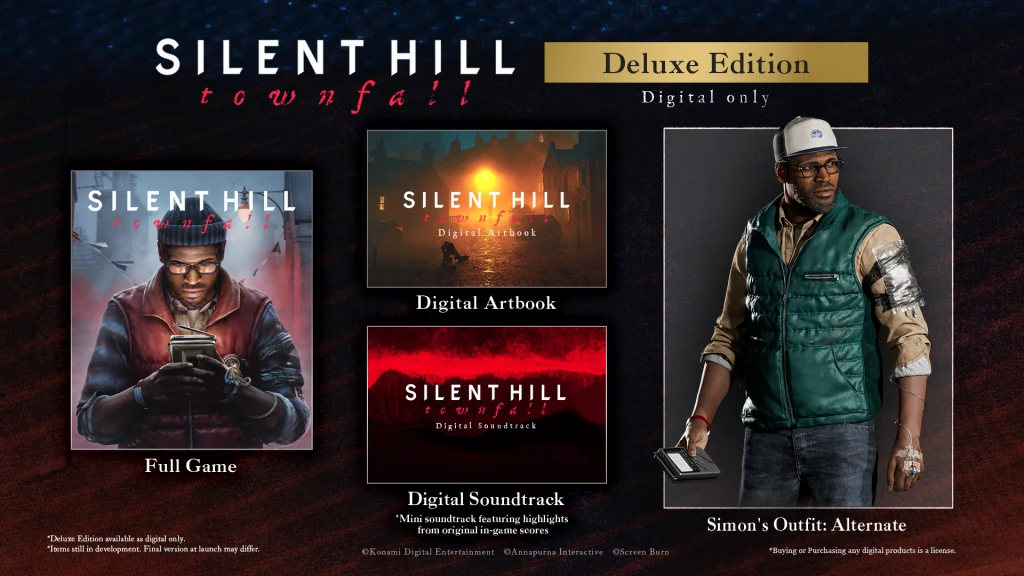
Standard vs Deluxe
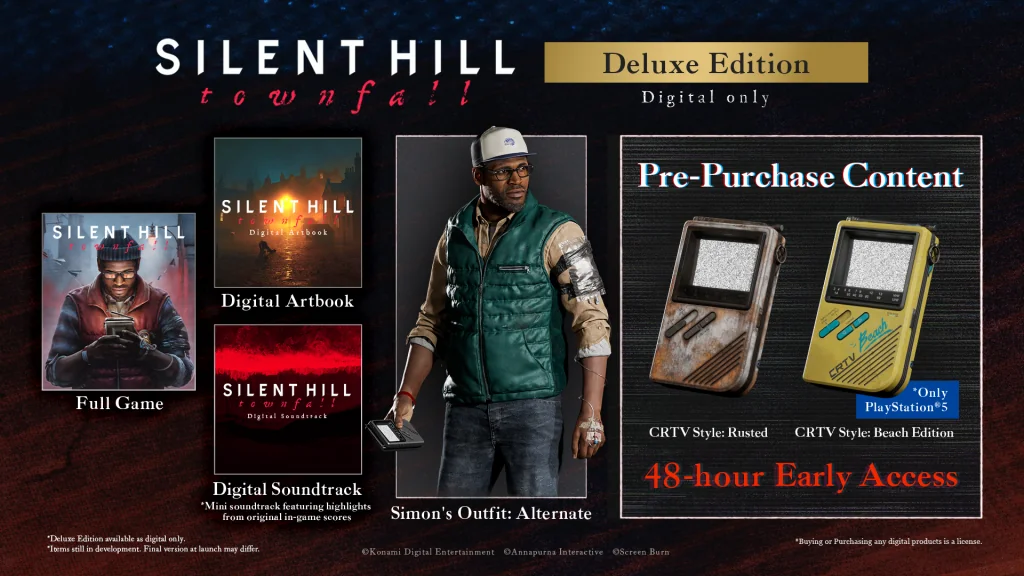
Compare Townfall Standard and Deluxe: base game, artbook, soundtrack, Simon’s alternate outfit, preorder cosmetics and early access.
Read guide